
Effortlessly manage appointments with our intuitive scheduling system

Appointment Management


Features
Find an easy-to-use yet powerful calendar that enhances the management of your institution

Appointment Management
Streamline your workflow with efficient appointing management, ensuring seamless scheduling and improved coordination for all team members.

Add New Appointment
Quickly add new appointments with ease, ensuring a smooth and organized scheduling process for both staff and patients.

Edit Appointment
Update personal information and reschedule any pre-arranged appointment whenever needed.


Quick Overview
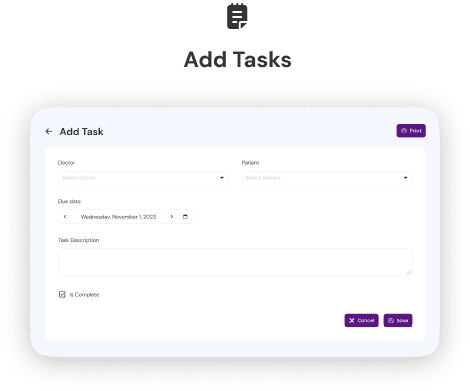
Task Management for Doctor
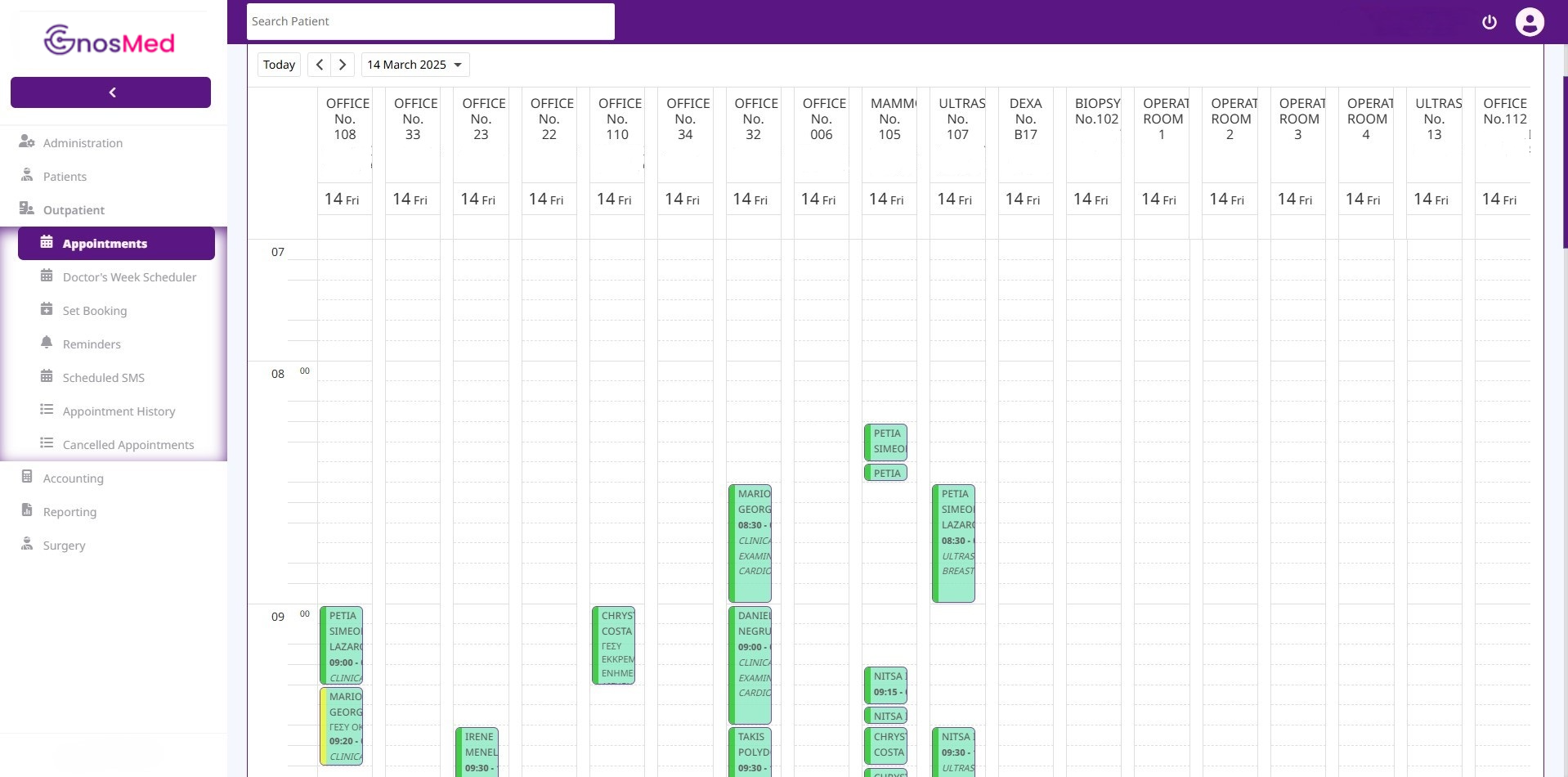
Gain full control over your schedule with our robust appointment management system. Organize all appointments in a list and access detailed information about each examination.
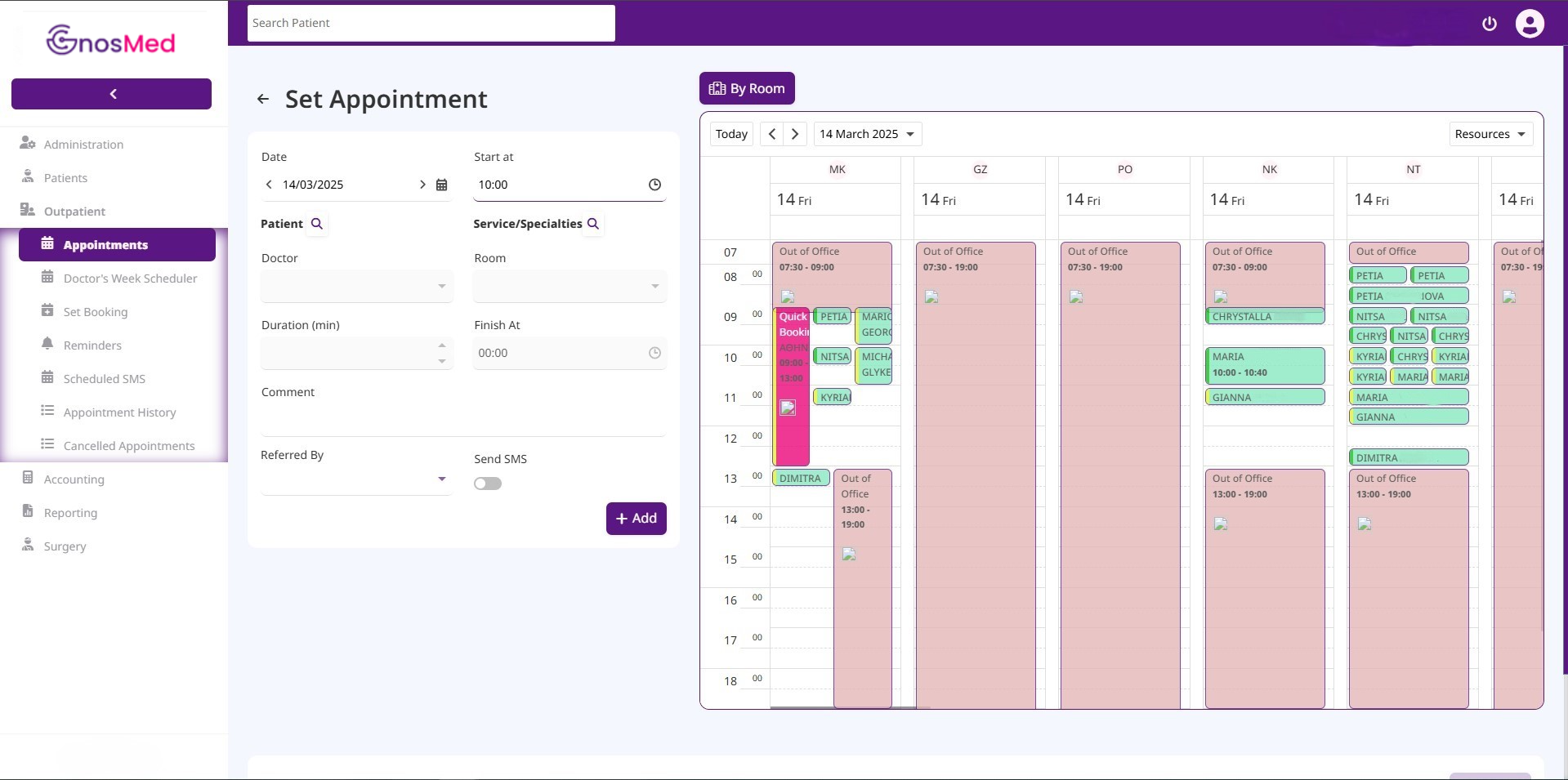
Add New Appointment
Book appointments, manage cancellations and keep your workflow running smoothly. Additionally, you can quickly add a quick appointment for those without a pre-scheduled reservation.

Edit Appointment
Effortlessly edit appointments to accommodate changes, ensuring flexibility and accuracy in your scheduling system.


Request Presentation
GnosMed has many other features we would like to share with you!
Would you like a closer view?
Q&A
You have the option to convert a quick book appointment, allowing access to all available options
Of course! As there is the option to search based on rooms or the selected doctor, and even specialty.In case any of the appointments you have created are canceled, you can edit it and find the corresponding cancellation option.
There is only the option of deletion and not cancellation.Lorem ipsum dolor sit amet, consectetur adipiscing elit. Phasellus consequat dolor eu purus viverra ullamcorper. Sed euismod diam ac bibendum sollicitudin. Proin id aliquet nulla. Proin maximus ullamcorper mi. Morbi ac enim rutrum, lacinia purus posuere, viverra felis.
Lorem ipsum dolor sit amet, consectetur adipiscing elit. Phasellus consequat dolor eu purus viverra ullamcorper. Sed euismod diam ac bibendum sollicitudin. Proin id aliquet nulla. Proin maximus ullamcorper mi. Morbi ac enim rutrum, lacinia purus posuere, viverra felis.